 Atlas
A 3D map of your codebase, kept current by Claude Code.
Agents write code faster than you can hold the architecture in your head. Atlas shows what each part is for, which external systems it calls, and the lines that prove it. It updates itself as the agent works.
In Claude Code
/plugin install atlas --marketplace pedrobrun/atlas
/atlas:atlas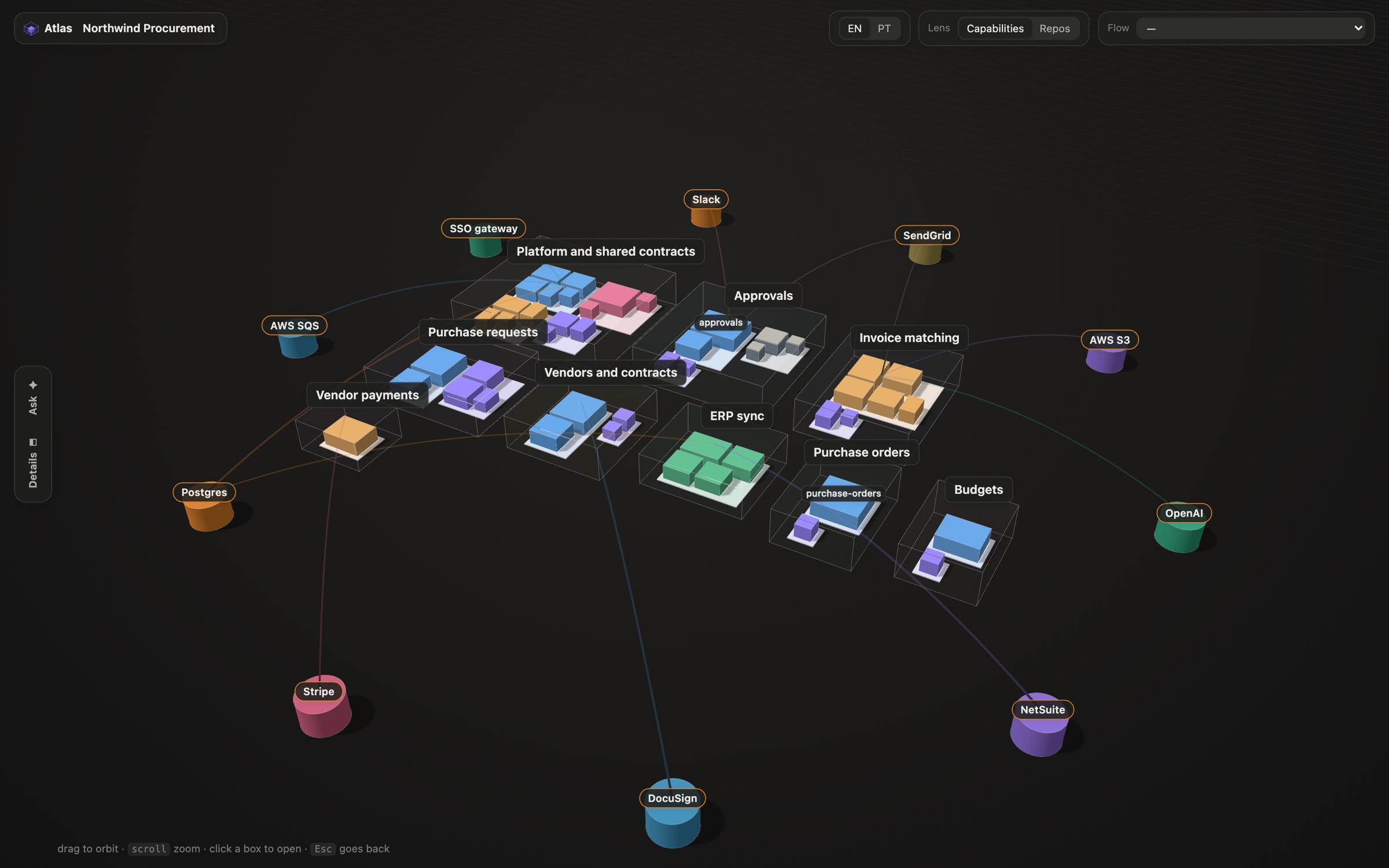
This is the real viewer, on a made-up procurement system with six services and nine external systems. Drag to orbit, click a box to open it, press Esc to go back up. Open it full screen.
It writes the map once, then keeps it current
The map has two layers. A skeleton of modules, imports and file hashes is built from the code. On top of it, the agent writes what each part does, why it uses each thing it imports, the main flows and the decisions behind them, each anchored to a file and line.
-
The first run
/atlas:atlasreads your repos and writes the map. It checks every id against the code and fixes the map until the build is clean. -
Every session
The agent starts with a short brief of the map. Before changing an area it doesn't know, it reads the full map.
-
Every turn
When a turn ends, the skeleton is rebuilt. Descriptions whose code changed are marked out of date and rewritten in the background.
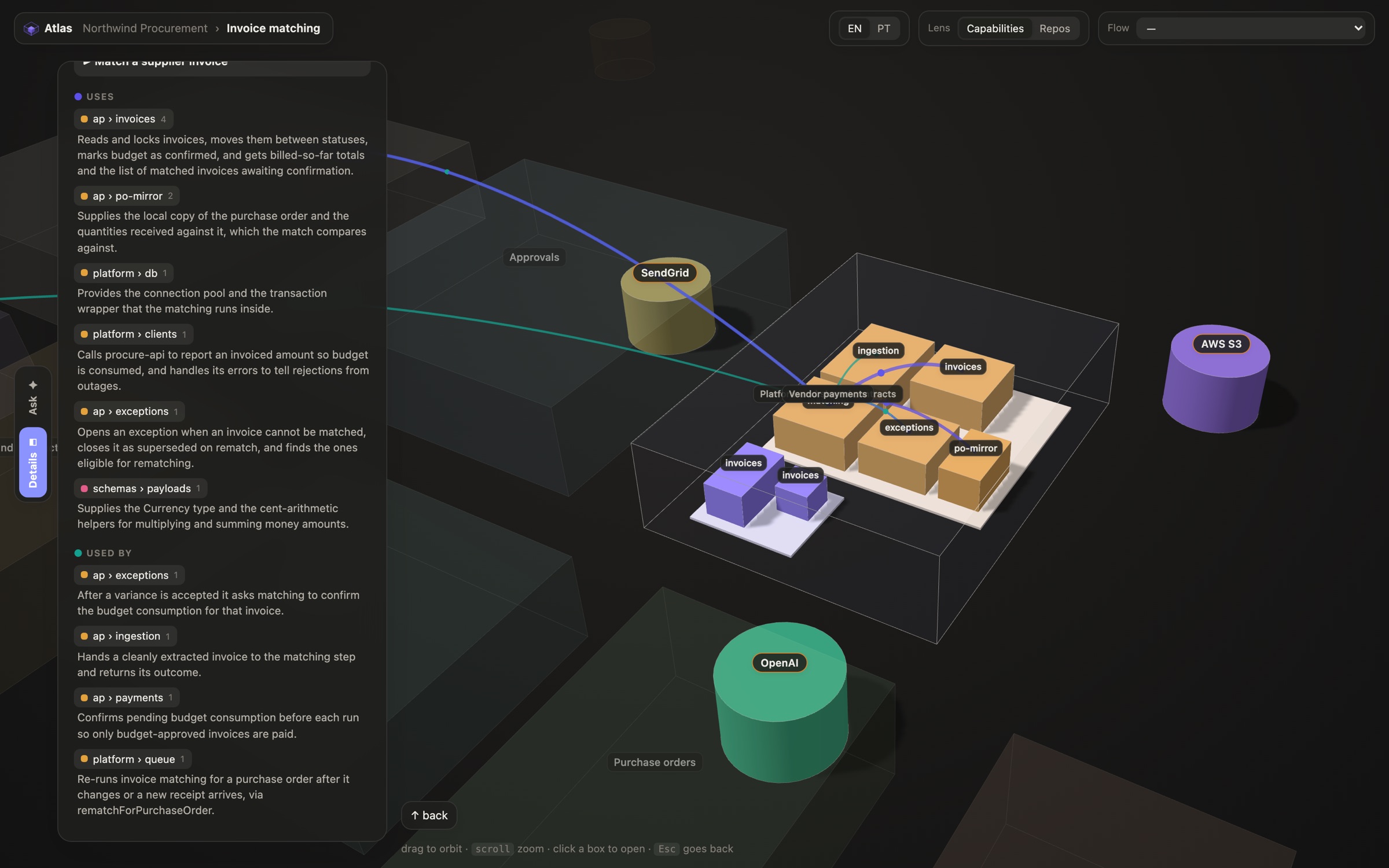
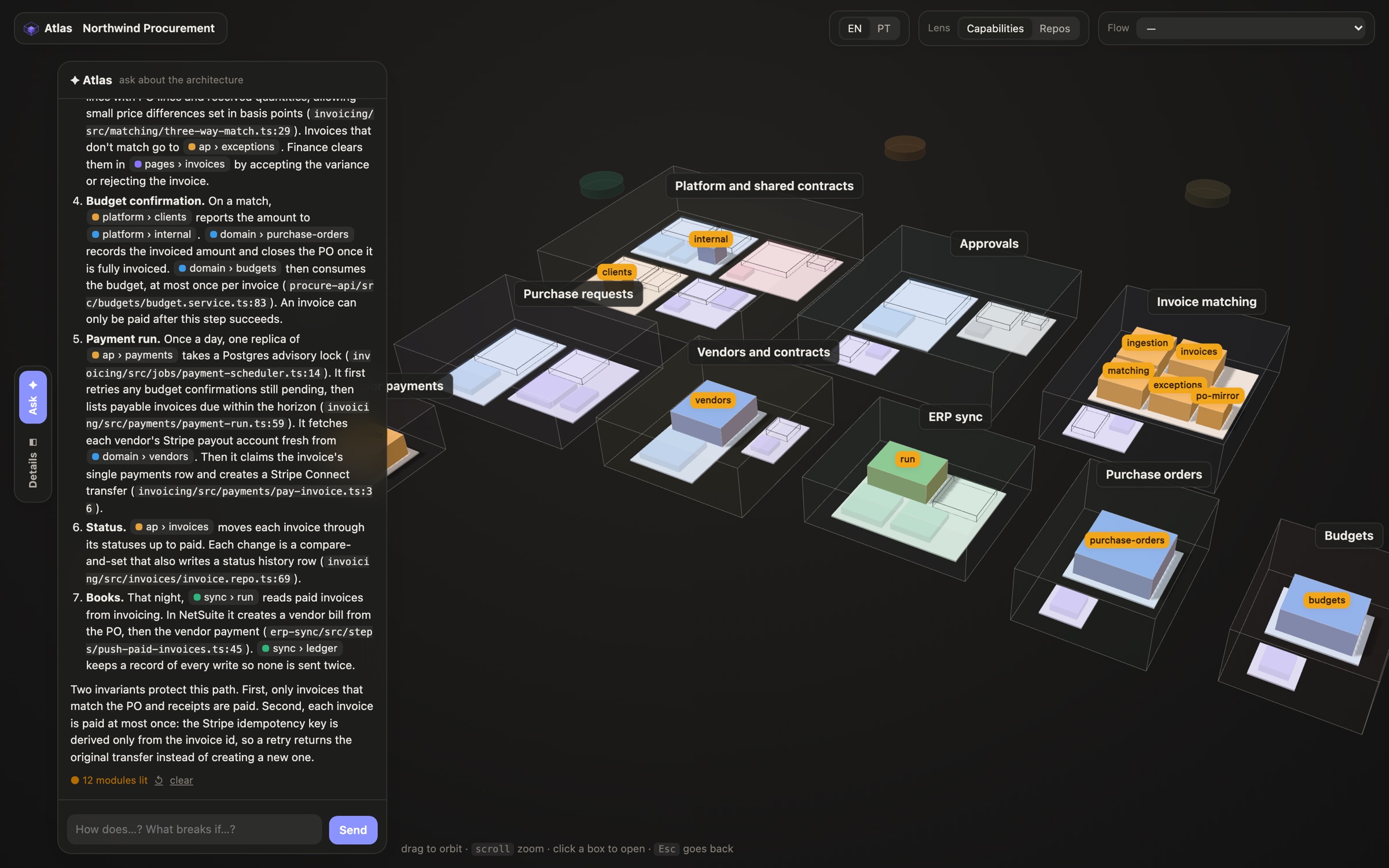
Read a module, or ask about the system
Local, and in your repo
- The map lives with the code
-
It is a few JSON files in your project's
.atlas/folder. Commit them, review them, edit them by hand. - No API key, no server of ours
-
The chat and the descriptions run your own Claude Code with read-only tools. The map opens on
127.0.0.1. - What it needs
- Claude Code and Node 24 or later. There is nothing to
npm install.